


Quick Start: Automate One Task Today
If you don’t read the full guide, start here:
👉 Action Step: Pick one tool and set it up in the next 15 minutes.
Stop Wasting Time on the Wrong Work
You didn’t launch your business to get buried in emails, update endless spreadsheets, or chase people to schedule meetings. Yet, that’s where much of your day goes.
You sit down with ambitious plans, maybe to grow your revenue or refine your product, but before you know it, small tasks take over. One email turns into ten.
A quick update eats up an hour. That “simple” to-do drags on all afternoon. By day’s end, you’re exhausted, and the important work hasn’t moved forward.
This isn’t a motivation issue. It’s a systems problem.
The Core Problem: Most of Your Work Is Repetitive
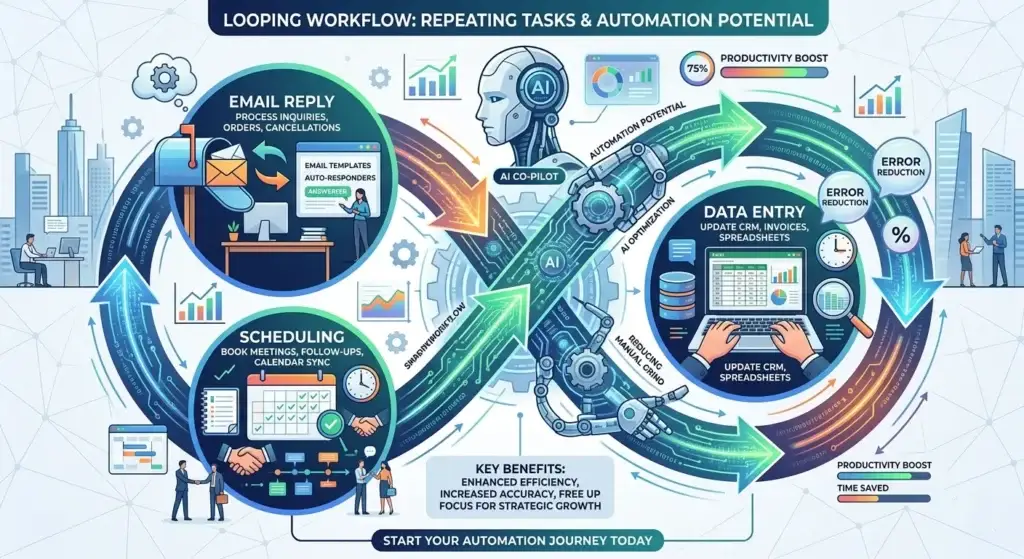
Let’s get real: a lot of your daily work is repetitive.
- Answering similar emails
- Replying to common customer questions
- Scheduling meetings
- Entering data
If a task repeats, it can likely be automated. According to McKinsey & Company, much of today’s routine business work can be automated with existing technology. So, you’re probably spending hours on tasks that no longer require manual input.
Why This Holds Your Business Back

Handling everything yourself may seem efficient at first. But over time, it turns into your biggest constraint. You become the bottleneck. Progress slows because everything depends on you.
Instead of building scalable systems, you’re maintaining repetitive tasks. That’s where AI-powered automation changes everything for small businesses.
What You’ll Get From This Guide
This isn’t theory, it’s practical and actionable. Here’s what you’ll learn:
- The 7 most time-consuming daily tasks
- The exact AI tools to automate them
- Realistic time savings
- How to get started without overwhelm
You don’t need to work more. You need to stop doing work AI already does better.
The Two Kinds of Work in Every Business
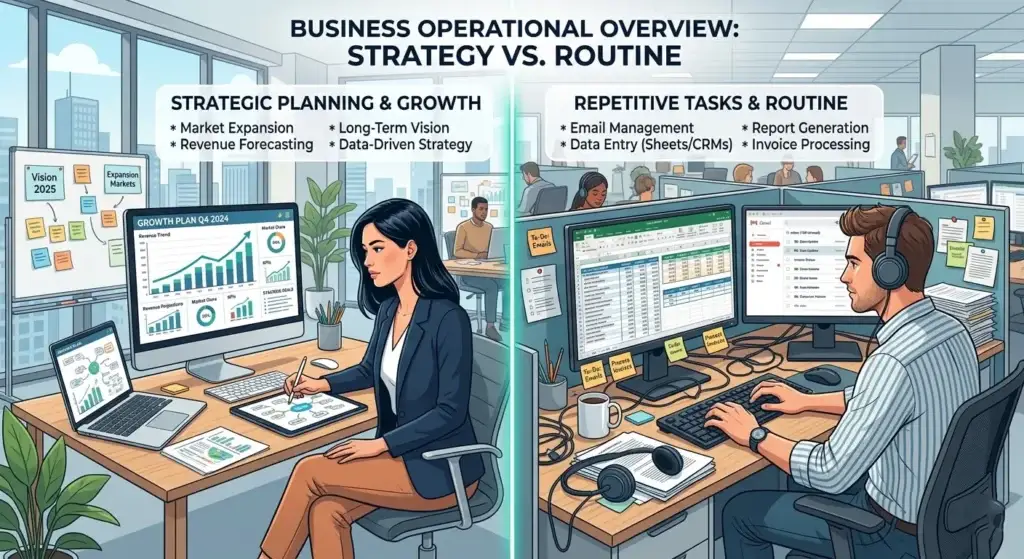
Before you dive into automation tools, understand this: every task falls into one of two categories.
1. High-Value Work (Drives Growth)
- Strategy
- Sales
- Marketing decisions
- Product development
This is where your focus should be.
2. Low-Value Work (Keeps Things Running)
- Email responses
- Scheduling
- Data entry
- Content posting
These tasks matter, but they’re predictable and perfect for AI automation.
7 Tasks You Should Automate Now (With AI Tools)
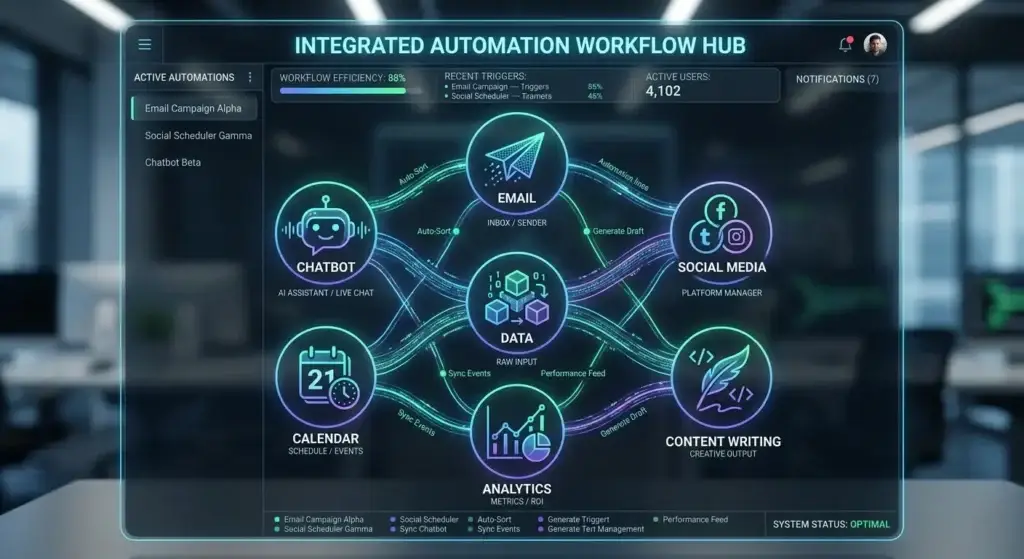
Let’s walk through them, step by step.
1. Responding to Routine Emails
Why It’s a Time Sink
Most emails repeat themselves the pricing questions, requests for more info, or simple follow-ups. If you spend 2 minutes per email and get 30 per day, that’s 60 minutes daily (20 hours/month), nearly half a workweek.
AI Tools to Use
- Gmail: Smart Reply, filters, auto-categorization
- Microsoft Outlook: AI reply suggestions, automation rules
- Superhuman: Advanced workflows, fast reply templates
Set up: Create templates for common replies, use AI suggestions, and review/send quickly.
Potential Savings: Even a 50% reduction = 10 hours/month saved.
2. Managing Customer Support Queries
Why It’s Cumbersome
Most customer questions are repetitive like order status, pricing, FAQs. These can eat up hours every day.
AI Tools to Use
- Zendesk: AI ticketing and automated replies
- Intercom: Chatbots, real-time automation
- Tidio: Quick chatbot setup, website integration
Time Saved: 20 queries/day × 3 minutes = 20 hours/month. If AI handles 70%, you save about 14 hours/month.
3. Posting on Social Media
The Hidden Workload
Content ideas, writing captions, posting at the right time, and staying consistent all add up.
AI Tools to Use
- Buffer: Schedule posts, analytics
- Hootsuite: Multi-channel automation
- Canva: AI visuals, caption ideas
Workflow: Batch content weekly, schedule in advance, automate publishing.
Time Saved: 4–5 hours/month
4. Data Entry & Record Keeping
Why It’s a Bottleneck
Manual data entry is slow, error-prone, and eats up time.
AI Tools to Use
- QuickBooks: Automated expense tracking, invoices
- Zoho Books: AI-powered categorization
- Docsumo: Extract data from documents
Potential Savings: If you spend ~17 hours/month on data, AI can reclaim 10+ hours/month.
5. Scheduling Meetings
Where You Lose Time
The back-and-forth of scheduling meetings can be endless.
AI Tools to Use
- Calendly: Shareable booking links, auto-scheduling
- Google Calendar: Smart scheduling, reminders
Time Saved: 4–5 hours/month
6. Drafting Content
Why It’s Hard
Starting from scratch is slow and mentally draining.
AI Tools to Use
- ChatGPT: Draft blogs, generate ideas, write scripts
- Jasper AI: Marketing and SEO copy
- Copy.ai: Product descriptions, emails
Time Saved: 1.5–2 hours per piece, or ~15 hours/month
7. Data Analysis & Reporting
Why It Gets Ignored
Reporting is complex and time-consuming, so it often falls by the wayside.
AI Tools to Use
- Google Analytics: Traffic insights
- Tableau: Dashboards
- Microsoft Power BI: Automated reports
Time Saved: 7–8 hours/month
How Much Time Can You Save?
Let’s add it up (realistic estimates):
- Routine emails: 10 hours
- Support: 14 hours
- Content: 15 hours
- Data: 10+ hours
Total: 40–50 hours/month
Actual savings will depend on your business and workflow, but the potential is huge.
How to Get Started (Without Overwhelm)
Don’t try to automate everything at once. Start here:
- Identify your most repetitive task
- Pick ONE task to automate
- Choose ONE tool
- Build a simple system
- Improve and expand gradually
Common Mistakes to Avoid
- Using too many tools at once
- Trying to automate everything immediately
- Not reviewing AI output
- Forgetting about customer experience
AI is powerful, but it still needs your oversight.
The Real Shift: From Doing to Managing
AI isn’t here to replace business owners, it’s here to change your role. Your job moves from doing every task to managing systems. That’s how you unlock scalability.
Conclusion: Automate What Doesn’t Need You
Chances are, you’re still spending hours every week on emails, support, scheduling, and data work. AI can automate all of these, at least partially. Even small changes can free up massive amounts of time.
My Recommended AI Stack (Simple Setup)
If you want to keep things simple, start with this:
👉 Action Step:
Start with 1–2 tools only. Don’t try everything at once.
Your Next Step
Keep it simple:
- Pick one repetitive task.
- Choose one AI tool
- Automate it today
Final Thought
You don’t grow by doing more. You grow by removing what doesn’t need you.
Right now, you’re spending time on tasks that:
- Don’t require your expertise
- Don’t drive growth
AI fixes that.