

An angry customer email can ruin your entire afternoon.
You open your inbox and see:
“I’ve been waiting two weeks.”
“Nobody replied to my last message.”
“If this isn’t fixed, I’ll leave a review.”
You’re not running a contact center. No support team, no ticketing system, no escalation queue. It’s just you, a laptop, and a customer who needs a reply before they post something on Google.
Every guide on AI and customer service assumes you have Zendesk, a support rep, and a brand style guide. You don’t. You have 20 minutes and a knot in your stomach.
Why This Actually Matters More Than You Think

Customer complaints need two things that are almost always in short supply when you’re running everything yourself: time and emotional distance.
When you’re frustrated or feeling attacked, writing a calm response is genuinely hard. ChatGPT doesn’t have those feelings. It’s not flustered, It doesn’t take things personally. You give it the situation, it gives you a calm first draft, and you edit from there.
The pressure to respond fast is real. According to HubSpot Research, 90% of customers rate an “immediate” response as important or very important when they have a support question, and 60% define “immediate” as 10 minutes or less.
That’s an impossible bar for a solo operator. But SuperOffice’s Customer Service Benchmark Report found the average email response time across companies is 12 hours and 10 minutes, and 62% of companies don’t respond to customer emails at all.
The gap between what customers expect and what most businesses actually deliver is wide. ChatGPT won’t close it completely, but it can get you from two hours to twenty minutes.
Speed alone isn’t enough, though. Zendesk CX Trends 2026 data shows that AI-handled complaint tickets score just 3.34 out of 5 in customer satisfaction, the lowest of any category tracked.
A fast, generic response isn’t better than a slow human one. It just feels like nobody actually read the message.
What ChatGPT Is Good At (And What It Isn’t)
Be clear about the tool before you start using it.
ChatGPT is good at drafting responses, adjusting tone, translating messages, and making sense of long email threads.
It is not good at knowing your customer’s history, deciding whether to offer a refund, or handling anything emotionally complex without a human reviewing every word first.
Before You Open ChatGPT
No paid plan needed. The free version works fine. But before you type a single word, have four things ready.
The customer’s exact message. Copy it word for word. Don’t summarize. Small details change the quality of the output more than you’d expect.
What actually happened on your end? Be honest with yourself. Was it your fault, a shipping issue, a miscommunication, or an expectation that was never realistic? The more honest context you give ChatGPT, the more specific and useful the draft will be.
What you’re willing to offer. A refund, replacement, discount, updated timeline, or explanation. Decide this before you start typing.
Working out what you’re prepared to give before the draft gets written is important; the AI makes that decision for you, and you end up promising things you didn’t intend to.
Your tone. Tell ChatGPT: “Write this like a friendly small business owner, not a corporation.” Without that instruction, you’ll get language that sounds like a bank’s customer service department.
One quick step before you paste anything: remove sensitive information from the customer’s message. Account numbers, addresses, and payment details. Replace names with placeholders if needed. It takes ten seconds.
The Prompt Formula That Actually Works

The most common mistake is pasting a complaint and typing “reply to this.” You’ll get something that sounds like a 2018 customer service chatbot.
Here’s the structure that gets real results:
“I run a [type of business]. A customer sent me this complaint: [paste in full]. Here’s what happened on my end: [explain it honestly]. I’m willing to offer [what you can give]. Write a reply that acknowledges how they’re feeling, takes responsibility where it’s due, and tells them exactly what I’m going to do next. Keep the tone [warm/direct/professional] and make it sound like a real person wrote it, not a corporation.”
The “here’s what happened on my end” line changes everything. Without it, ChatGPT fills in blanks with generic assumptions. With it, the response is specific to your actual situation.
What That Looks Like in Practice
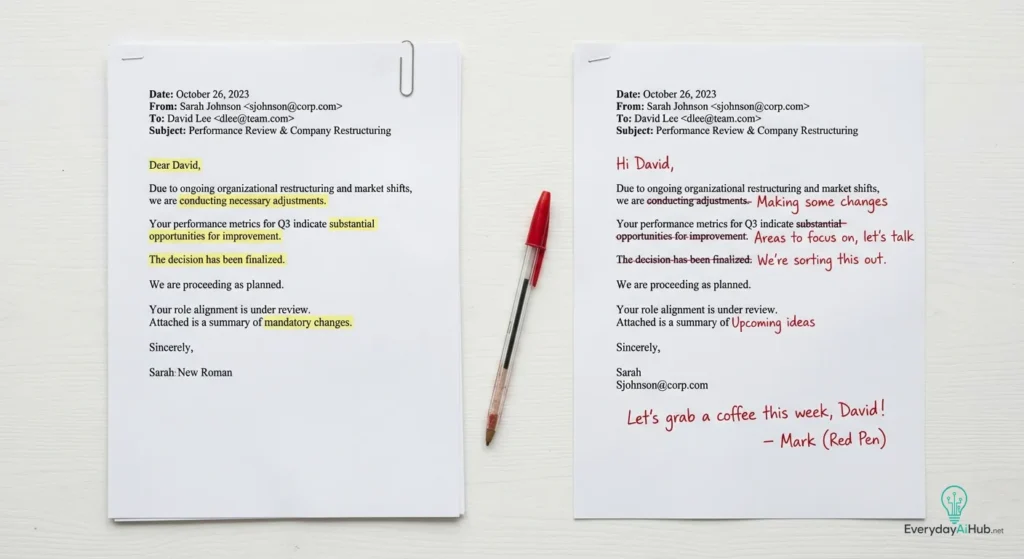
Here’s a real example of how this works.
The customer’s message:
“I ordered this 12 days ago and still haven’t received anything. I emailed last week, and nobody replied. At this point, I’m considering asking for a refund.”
The prompt:
“I run a small online store. A customer sent this complaint: [message above]. The delay happened because our shipping partner misplaced the package. I can either resend the item immediately or issue a full refund. Write a friendly response that takes responsibility for the poor communication and explains the options clearly.”
What ChatGPT usually produces:
Hi, thank you for bringing this matter to our attention. We sincerely apologize for the inconvenience caused. We understand your frustration and appreciate your patience. We have investigated the issue and discovered a delay with our shipping provider…
Not terrible, but it sounds corporate.
After a quick human edit:
Hi,
You’re absolutely right to be frustrated, and I’m sorry.
I should have replied to your earlier email sooner. I’m sorry that didn’t happen.
After checking with the shipping company, the package was misplaced during transit; that’s on them, but it’s my job to sort it out for you.
At this point, I can either send a replacement immediately or issue a full refund. Just let me know, and I’ll take care of it today.
Thanks for giving me the chance to fix this.
Same information, much more human. The edit took about two minutes.
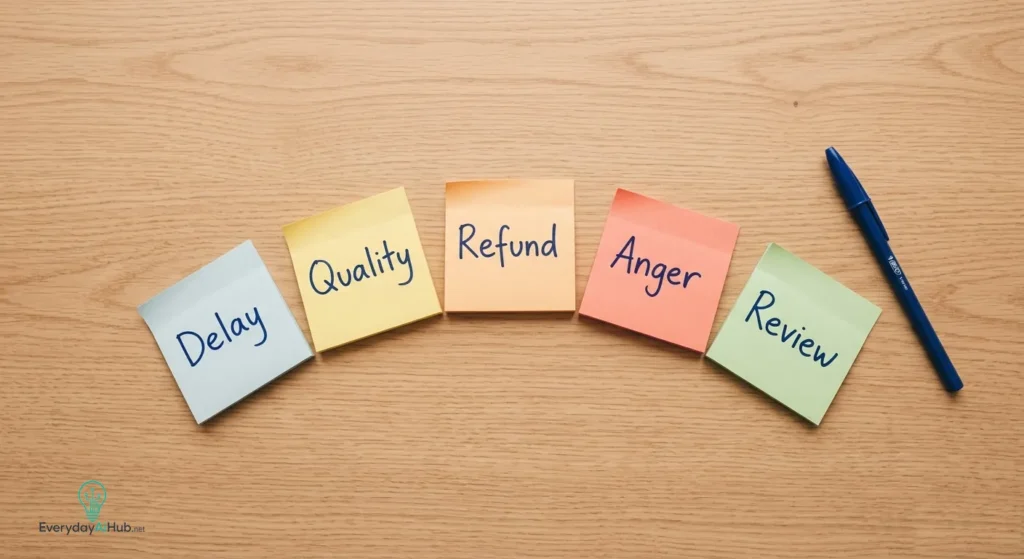
Prompts for the Five Most Common Complaint Types
The order that hasn’t arrived
“I run an online shop selling [product type]. A customer emailed saying their order hasn’t arrived after [X] days. Here’s their message: [paste it]. The delay is happening because [reason]. I’m willing to [resend it / offer a refund / give an ETA]. Write a reply that’s honest about what’s happening, takes responsibility where it’s mine to take, and gives them a clear next step. Friendly tone, not formal.”
Product or service they weren’t happy with
“I’m a [freelancer / maker / service provider]. A customer said [describe the complaint]. Here’s their message: [paste it]. The truth is [what actually happened, your fault, a miscommunication, or an expectation mismatch?]. I’m open to [what you’ll offer]. Write a reply that acknowledges their frustration, is honest without being defensive, and offers [resolution]. Professional but human tone.”
Refund request, you’re going to decline.
“I sell [product/service]. A customer is asking for a full refund, but [explain why you’re not giving one]. Here’s their message: [paste it]. I’m not offering a refund, but I want to handle this without burning the relationship. Draft a reply that’s firm, clearly explains my policy, isn’t cold or robotic, and maybe offers a small gesture of goodwill, like [idea]. Don’t make it sound like a legal document.”
Angry or escalating customer
“A customer is very upset, and their message has an aggressive tone. Here it is: [paste it]. The situation is [explain what happened]. I want to de-escalate this. Write a reply that takes full ownership where I owe it, validates how they feel without being patronizing, and offers [specific resolution] along with a direct way to reach me. Avoid anything that sounds defensive.”
Negative Google or public review
“I run a [type of business]. Someone left a [X]-star review saying [summarize the complaint]. Here’s the review: [paste it]. Write a short public reply under 80 words that takes responsibility for what’s fair, doesn’t make excuses, and invites them to contact me directly at [email or phone] to make it right. Do not use the phrases ‘we take your feedback seriously’ or ‘we apologize for any inconvenience.’ Make it sound like a real person, not a PR department.”
Replying to every Google review is one of the highest-return things a local business can do. According to a 2025 report cited by CMSWire, 88% of consumers are more likely to use a business that responds to all reviews compared to just 47% who would consider one that doesn’t respond at all.
And research by Guaranteed Removals found that 94% of consumers say they’ve avoided a business because of negative reviews. People read how you handle criticism before they decide whether to buy from you.
Mistakes That Undo All of This
Sending the first draft without reading it. ChatGPT can promise timelines you can’t keep, offer compensation you didn’t approve, or apologize for things that weren’t your fault. Read it before it goes out, every time.
Leaving in the corporate phrases. “We value your feedback,” and “thank you for bringing this matter to our attention” are signals that a machine wrote this. Your customer will notice. Cut them.
Using it to win arguments. The goal isn’t to prove the customer wrong. Even when they are wrong, a defensive response makes things worse.
If the draft sounds argumentative, redirect: “Rewrite this to focus on resolving the issue, not explaining what happened.”
Forgetting what you know about this customer. ChatGPT doesn’t know they’ve ordered from you six times, or that you gave them a discount last month, or that they’ve been loyal for years. You do.
Before you hit send, add what you know that ChatGPT doesn’t. One extra sentence can be the difference between a response that feels personal and one that feels automated.
Bonus Uses Once You’re Comfortable
Once you’ve used it a few times, you’ll find other situations where it helps.
- Rewrite something you already drafted. If you’ve written something that sounds too angry or too apologetic, paste it in and say: “Rewrite this so it’s calmer and more empathetic without changing what I’m actually saying.”
- Tone check before you send. Paste a reply you’re unsure about and ask: “Does this sound defensive? How would a frustrated customer read this?” It’s a useful check for anything emotionally loaded.
- Untangle a long thread. Paste a whole back-and-forth chain and ask: “What’s the core issue here, what’s been agreed on, and what’s still unresolved?” Saves a lot of re-reading when a complaint has dragged on for days.
- Translate on the fly. Complaint came in Spanish or French? Ask ChatGPT to translate it, draft your response in English, then ask it to translate back. No extra tools needed.
What ChatGPT Still Can’t Do For You
It can’t make judgment calls. Whether to issue the refund, when to bend your policy, and how much a long-term customer relationship is worth are your decisions.
The data on this is clear. Zendesk CX Trends 2026, cited by Digital Applied, shows that complaint handling is the worst-performing category for autonomous AI at 3.34 out of 5, with billing disputes not far behind at 3.61 out of 5.
These are exactly the situations where a human voice matters most. If someone is upset about money or a serious service failure, a well-drafted email might not be enough. Sometimes you need to pick up the phone.
And CCMC research cited by Nextiva found that 63% of customers who had an issue felt angry during the experience, and 32% shared their biggest complaint on social media in 2023, more than twice the rate in 2020. The stakes for getting this right are higher than they used to be.
The Right Way to Think About This

You’re not handing your customer relationships over to a machine. You’re using AI the way a good writer uses a spell-checker to handle the mechanical part, so you can focus on the decisions that actually matter.
What to offer, whether to apologize, when to make an exception, whether this person needs a call instead of an email, ChatGPT can’t make those calls.
What it can do is get you from a blank page and a knot in your stomach to a working draft in about 30 seconds. For someone managing everything alone, that’s nothing.

Michael L. has spent the last one year writing about AI for people who never planned to care about it. He tests tools, cuts through the hype, and explains what actually works for everyday life and small business. No tech background required.