
Introduction
Running a solo business means handling everything yourself. You manage client work, marketing, operations, and admin, often all in the same day.
How to choose the right AI tools is one of the most important decisions solo entrepreneurs face. AI tools promise to save time and simplify work. In reality, many solo founders end up with too many tools, unfinished trials, and very little actual progress.
This outcome is common but entirely avoidable.
This guide gives you a clear, practical framework to choose the right tools without wasting time or money. Instead of chasing trends, you will focus on what actually improves your workflow.
By the end, you will able to:
- Select tools that solve real problem
- Avoid unnecessary subscriptions
- Build systems that scale your output
Why Solo Entrepreneurs Struggle With AI Tool Decisions

Before choosing any tool, it helps to understand why the process feels overwhelming.
The main issue is simple: There are too many options, and not enough clarity.
New tools launch constantly, each promising faster result or higher productivity. Without a clear system, it’s easy to make decisions based on:
- YouTube recommendations
- “Best of” lists
- Other people’s workflow
This often leads to a bloated setup that costs more time than it saves.
Three structural challenges
- You handle multiple roles at once
- There is no technical team to guide decisions
- New Tools create constant fear of missing out
Because of this, choosing tools randomly rarely works. A structured approach is essential.
Step 1: Identify the Core Problem You’re Actually Trying to Solve
The biggest mistake is evaluating tools before defining the problem.
Instead, start by identify what is actually slowing you down.
Ask Yourself:
- Which tasks take time but do not require your expertise?
- Which processes break or get delayed often?
- Which activities would grow if they became easier?
Turn your answer into clear statements:
- “I spend hours writing clients email every week.”
- “I struggle to reuse content across platforms.”
- “My onboarding process is inconsistent.”
Focus on one or two key problems only. These become your decision criteria moving forward.
Step 2: Match Solutions to Your Stage
Not every tool fits every stage of business.
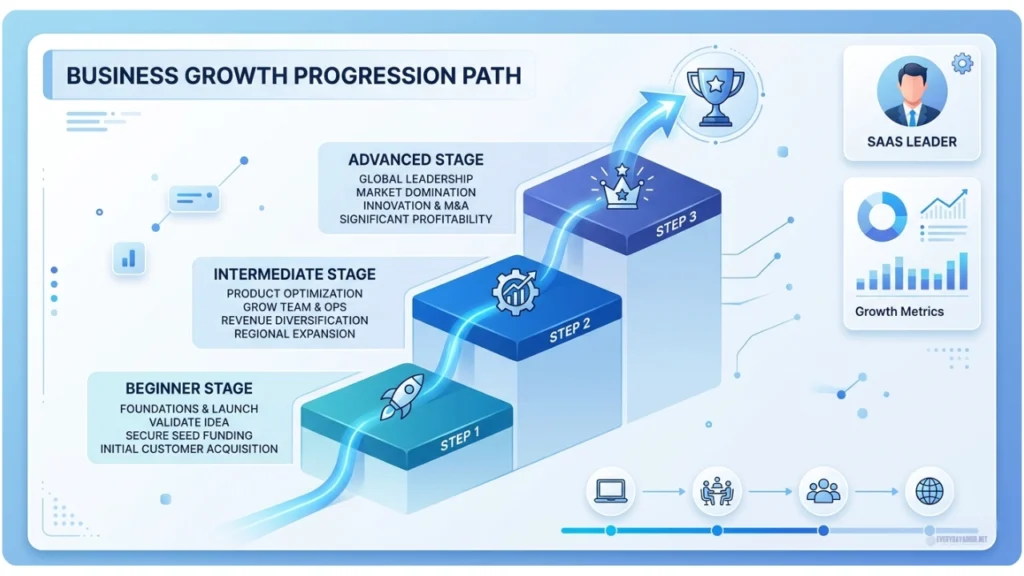
What works for an early-stage founder may be unnecessary for someone already generating consistent revenue.
Business stages and priorities
Stage 1: Getting Stable (0 – $5k/month)
Focus on speed and simplicity. Use one or two tools that help deliver core work faster.
Stage 2: Getting Consistent ($5k – $15k/month)
Start automating repetitive tasks like follow-ups, content reuse, and proposals.
Stage 3: Getting Leverage ($15k+/month)
Focus on saving time through workflows, integrations, and advanced systems.
Choose tools that match your current needs, not future possibilities.
Step 3: Evaluate Options Using Clear Criteria
Once you know your problem and stage, you can evaluate tools effectively.
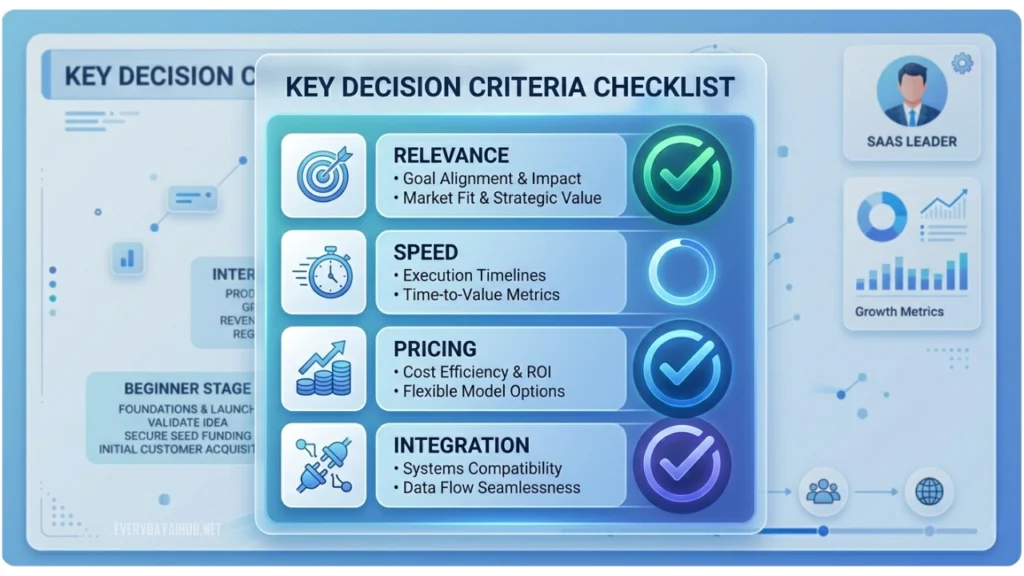
Use these four filters:
- Does it solve your specific problem?
If the benefit is unclear, skip it. - Can you get value quickly?
Tools that take too long to set up often get abandoned. - Is the Pricing realistic for your stage?
Avoid tools designed for large teams. - Does it fit your current workflow?
Compatibility matters more than features.
Applying these filters removes most unnecessary options immediately.
Step 4: Understand the Landscape
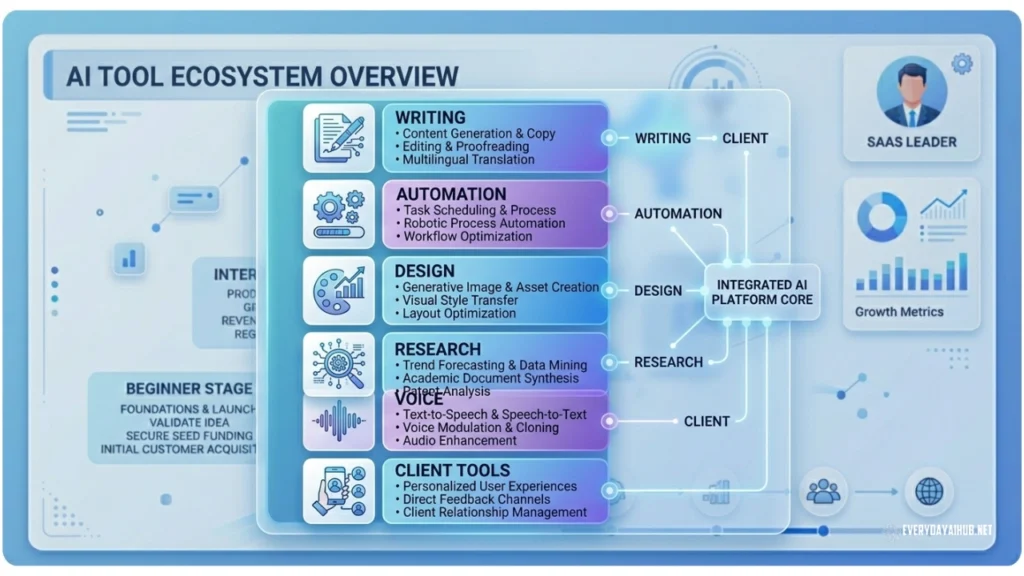
You do not need tools for everything. Most solo businesses only require a few key categories.
Core categories to consider
Writing and Content
Research and Synthesis
- Search, summarization, competitive analysis
- Examples: Perplexity, NotebookLM, Elicit
Voice and Transcription
Automation and Workflow
Visual and Design
- Images, presentations, short video
- Examples: Midjourney, Canva AI, Runway
Client-Facing and Operations
- Proposals, onboarding, scheduling
- Examples: HoneyBook, Dubsado, Calendly AI
Focus on two or three categories that directly support your main workflow.
Quick-Start Recommended Starter Stack
If you want to take action Immediately, Start with one tool based on your biggest bottleneck.
Your Biggest Bottleneck | Best Stage | Recommended Tools | Why It Wins for Solos | Approx. Cost |
|---|---|---|---|---|
Writing emails, proposals, content | 1–2 | Claude or ChatGPT | Best quality, minimal learning curve | Free – $20 |
Turning one piece into many | 2 | Claude + Zapier/Make | One input → multiple outputs automatically| | Free – $20 |
Meeting notes & client follow-ups | 1-3 | Otter.ai + Claude | Auto-transcribes + drafts follow-ups | $0 – $17 |
Repetitive admin & onboarding | 2-3 | Notion AI + Make/Zapier | Connects with tools you already use | Free – $20 |
Visuals & social graphics | Any | Canva AI (Magic Studio) | No design skills required | Free – $15 |
Rule: Start small, Master one tool before adding another AI tools for solo entrepreneur.
Step 5: Test Before You Commit
Never rely on features alone. Always test tools using real work.
Simple testing Process:
- Choose a task you already need to complete
- Do it using the tool
- Track the time and effort required
- Repeat using your current method
- Compare results
Ask yourself these three questions:
- Did it save time?
- Was the quality acceptable?
- Would you use it regularly?
If the answer is no, do not adopt the tool.
Step 6: Build a System not just a tool stack
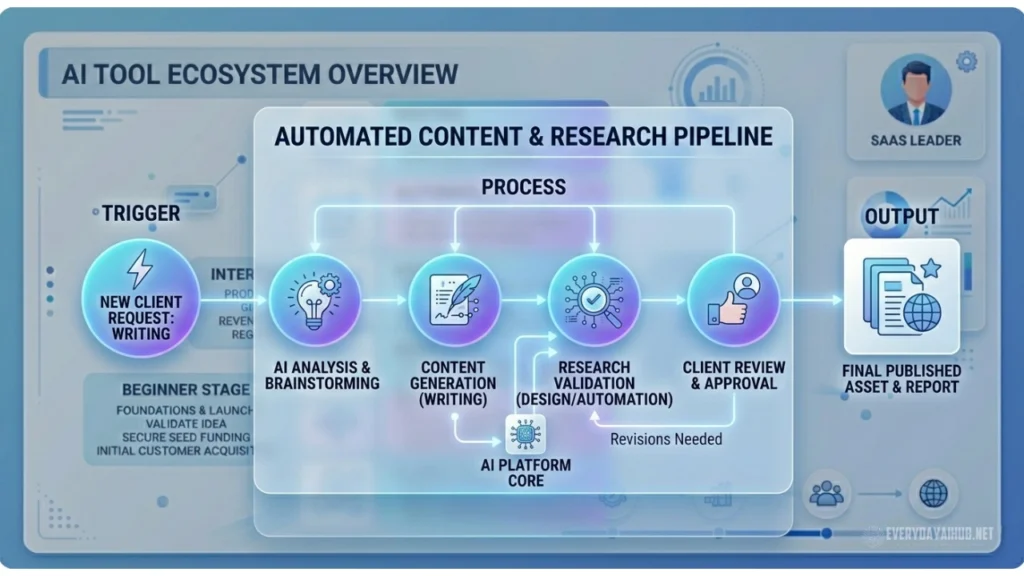
Individual tools provide small improvements. Systems create leverage.
Simple system structure look like this:
Trigger → Process → Output
Example (content creation):
- Record an idea (trigger)
- Convert it into text automatically
- Refine and publish (output)
Rule for building systems
- Start with one workflow
- Document each step clearly
- Repeat it multiple times
- Improve only when necessary
The goal is consistency, not complexity.
Common Mistakes to Avoid
- Choose tools based on trends instead of needs
- Automating tasks that require human judgment or creativity
- Using too many tools at once
- Ignoring setup time and learning curve
- Paying before testing properly
Avoiding these mistakes saved both time and money.
Pre-Decision Checklist
Before committing to any tool, confirm:
- You have a clearly defined problems
- The tool directly solves it
- You can use it immediately
- The cost fits your budget
- Its works with your existing setup
- You have tested it in real tasks
If any of these are missing, wait before deciding.
Frequently Asked Questions
Start with the task that takes the most time each week. Solve that first.
Most Solo Business operate efficiently with two to four core tools.
Yes in most cases. Start with Claude, ChatGPT, Notion AI, or Otter.ai. Upgrade only when you hit clear limits.
Compare the time spent before and after using the tool over a few weeks.
The Bigger Picture
Tools alone do not grow a business. Systems do.
Successful solo entrepreneurs use a small number of tools effectively because they integrate them into repeatable workflows.
Over time, these systems reduce effort, improve consistency, and free up time for higher-value work.
Conclusion
Selecting the best AI tools for solo entrepreneurs does not require endless testing.
It requires a clear process:
- Identify your bottleneck
- Match tools to your stage
- Evaluate carefully
- Test on real tasks
- Build a simple system
Start with one problem. Choose one tool. Use it consistently.
When done correctly, a single well-used tool can outperform an entire stack of unused ones.
Focus on clarity, not complexity.

Michael L. has spent the last one year writing about AI for people who never planned to care about it. He tests tools, cuts through the hype, and explains what actually works for everyday life and small business. No tech background required.