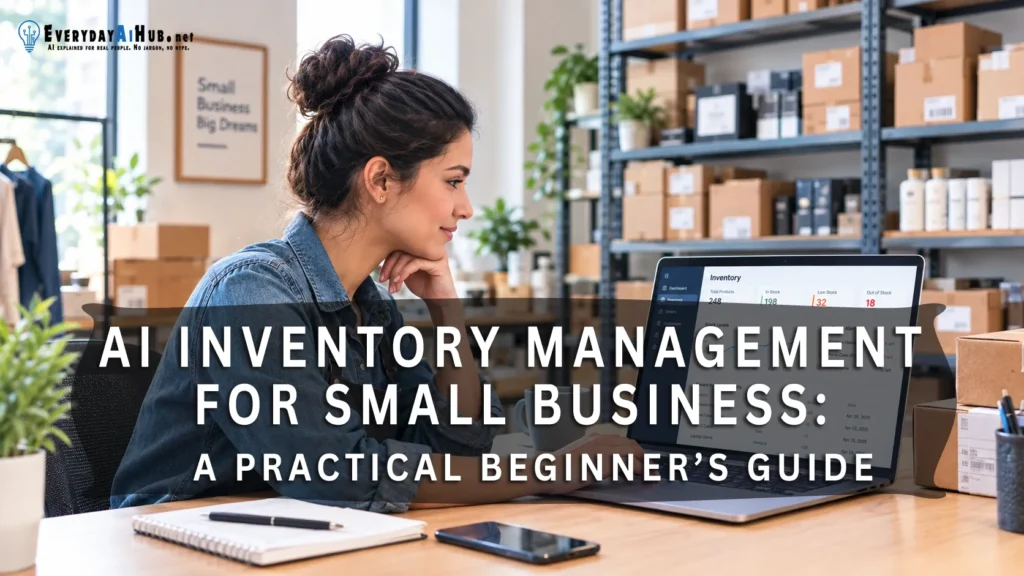
Inventory Management headaches often start small. A delivery arrives, but the count is not updated. A supplier takes longer than usual.
A popular item sells out while money sits tied up in products nobody is buying. Individually, these problems seem minor. Together, they can cost a small business time, sales, and cash.
If you run a small shop or online business, you probably do not have a team watching stock all day. You need a dependable way to spot what is running low, what has been sitting too long, and what needs attention before the next order.
The Good News? You don’t have to start with expensive software, and you do not have to let an AI system buy anything on its own. Accurate records, sensible alerts, and a quick human check are a practical starting point.
This guide looks at what AI inventory tools can realistically do, what they cannot promise, and how to test them without adding unnecessary cost or disrupting a process that already works.
What “AI Inventory Management” for Small Business Actually Means
The phrase “AI inventory management” covers several different things. One product may alert you when stock falls below a number you set.
Another may analyze past sales to estimate future demand. A third may let you ask questions about your inventory in everyday language.
These features are not interchangeable, and not all of them use Artificial Intelligence (AI). Knowing what a tool actually does helps you avoid paying for a label instead of a useful feature.
Depending on the product, AI may help with:
- Forecast demand: Estimate likely future sales based on historical data.
- Flag low stock: Highlight items approaching a critical reorder point based on context.
- Summarize movement: Quickly identify slow-moving or dead stock.
- Suggest order quantities: Draft PO amounts based on stock levels, velocity, and lead time.
- Answer questions: Query inventory reports using natural language.
- Draft documentation: Generate purchase orders or invoices from raw text or prompts.
Key Rule: Think of AI as an assistant, not the official record book. It can only work with the information it receives. If your stock count is wrong, two product sizes share a code, or supplier delivery times are out of date, a polished recommendation can still point you in the wrong direction.
Where AI Can Save Time for a Small Business

1. Low-Stock Monitoring
A basic inventory system can already alert you when an item reaches a threshold. AI becomes more useful when the threshold needs context: a product that sells ten units a week needs a different reorder point from one that sells ten units a month.
Some platforms combine current stock, recent sales, and supplier lead time to show what needs attention first. That does not remove the need for review, but it can cut the time you spend checking every product by hand.
There is research behind this approach. A 2025 study in the Journal of Digital Economy trained machine-learning models on a dataset of more than 1.6 million stock-keeping units from a single retailer.
It found that current inventory levels, three-month demand forecasts, and recent sales were the most influential factors in predicting stockouts.
Those near-term signals carried more predictive power than six- and nine-month projections (Liu, Kalaitzi, Wang, and Papanagnou). Two cautions apply.
The data came from one large retailer, not a small shop, and the study tested prediction models rather than commercial software.
Still, it supports looking at stock and recent sales together instead of relying on a fixed threshold alone. Read the study. For a broader approach to cutting repetitive work, see our guide to AI workflow automation for small businesses.
2. Demand Planning
A forecast is most useful when an item has a reasonably steady sales history. Be more careful with a new product, a seasonal bestseller, a one-off order, or anything affected by a sudden trend.
A spreadsheet of past sales cannot tell the whole story, and a forecast cannot see every change coming. In those cases, treat it as a starting point for discussion, not a substitute for your own judgment.
Academic work on this topic is broad. A 2025 systematic review in The International Journal of Logistics Management examined 141 peer-reviewed articles on AI in supply-chain demand planning (Walter, Ahsan, and Rahman).
It covers supply chains generally, not small-business inventory tools, so read it as background rather than proof that any given product works. The practical lesson is to test a forecast against your own sales history before trusting it.
Use forecasts as a planning input, not a promise. Compare the suggested quantity with what you know about promotions, holidays, supplier delays, and cash-flow limits.
3. Plain-English Inventory Questions
Some newer tools let you ask about stock without building a report or applying filters yourself. This helps when you need a quick answer but do not work in spreadsheets or dashboards every day. Typical questions include:
- Which products sold the fastest last month?
- What is low at this location?
- Which items have not moved recently?
- What should I review before placing the next purchase order?
The answers are only as good as the underlying records, so keep product names, units, and locations consistent. To understand sales patterns beyond stock levels, explore our guide to AI data analytics tools for small businesses.
4. Purchase-Order Preparation
AI can help prepare a draft purchase order or reorder list. That is different from placing an order automatically.
For most small businesses, approval before buying is the safer starting point because it keeps spending, supplier choices, and unusual cases under your control.
For example, check a suggested quantity against stock already on order, the supplier’s minimum order, and the money available that week.
If the recommendation ignores one of those details, correct it before sending anything. The benefit is a clearer draft to review, not handing purchasing over without checks
What to Check Before Choosing a Tool
Does it connect to your existing sales system?
Look for integrations with the system where sales are actually recorded. Depending on your business, that may be a point-of-sale system, an online store, an accounting platform, or a spreadsheet. Without a connection, you will be typing the same data twice.
Can you import your current data?
Moving from a spreadsheet is easier when the tool supports CSV import and export. Before you sign up, check whether it handles product variants, SKU codes, units of measure, supplier information, and opening stock counts.
If you are comparing software on a limited budget, our guide on choosing the right AI tools for your solo business can help you assess fit and cost.
How does it handle uncertainty?
A useful system makes it easy to review an alert, adjust a reorder point, or reject a recommendation. Be cautious when every suggestion is presented as certain.
Inventory decisions often depend on factors the software can’t see, such as supplier relationships, upcoming promotions, or planned product discontinuations.
Look for explanations, not just numbers. Can the tool show the recent sales, current stock, and lead time it used? If it cannot explain a suggestion, treat it as a prompt to investigate, not an instruction to follow.
What does the plan limit?
Check limits on products, orders, locations, users, automation, integrations, and AI usage. Some platforms charge a flat monthly fee. Others charge by location, user, order volume, feature tier, or usage credits.
Zoho Inventory vs. Square: at a Glance
These tools suit different situations. Use this comparison to narrow your options, then confirm current features, plan limits, and eligibility on the official pages before you decide.
Zoho Inventory
- Consider it if: you need a broader inventory and order-management system covering items, warehouses, purchasing, and orders.
- AI angle: Zoho documents a natural-language assistant (Ask Zia) and a CoCreate Agent for selected tasks. These are not the same as guaranteed demand forecasting.
- Check first: AI feature availability in your region and plan, setup requirements, and limits on orders, users, and locations.
Square
- Consider it if: you already use Square, or want inventory tracking tied to your point-of-sale workflow.
- AI angle: standard low-stock alerts and scheduled restocks are useful automation, not AI forecasting. Managerbot adds AI-supported insights and workflows for eligible sellers.
- Check first: your country, account eligibility, plan, and whether the specific Managerbot workflow you want is available.
Quick decision: start with the system that fits your existing sales and stock records. Do not switch platforms just to get an AI label. First confirm that the feature solves a problem you actually have.
Zoho Inventory in More Detail
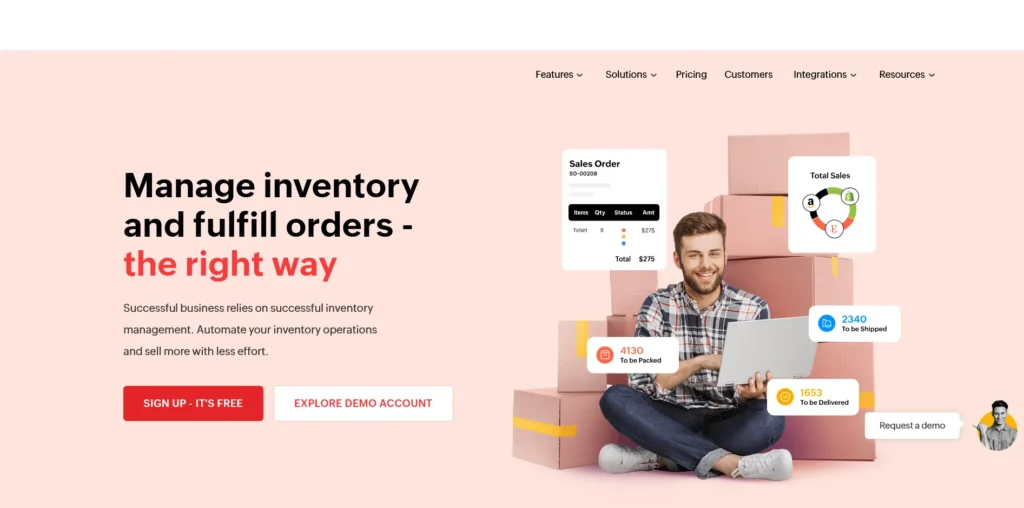
Zoho Inventory is a broad inventory and order-management platform with plans that vary by region and billing cycle. Zoho documents a 14-day trial for its paid plans and says organizations that do not upgrade are moved to a free plan.
On the AI side, Zoho describes Ask Zia as an assistant that retrieves data and answers questions in natural language, and the CoCreate Agent as a tool that creates records such as quotes, invoices, and sales orders from text or voice prompts.
Neither is a demand-forecasting system, and availability can depend on product and plan. See Zoho’s AI inventory overview and check your own account before choosing it for a specific AI task.
Basic reorder levels and stock alerts are also different from forecasting, so be clear about which capability you actually need.
Best for: a small business that needs inventory, purchasing, orders, and integrations in one system.
Watch out for: regional pricing, plan limits, and AI features restricted to higher tiers.
Square in More Detail
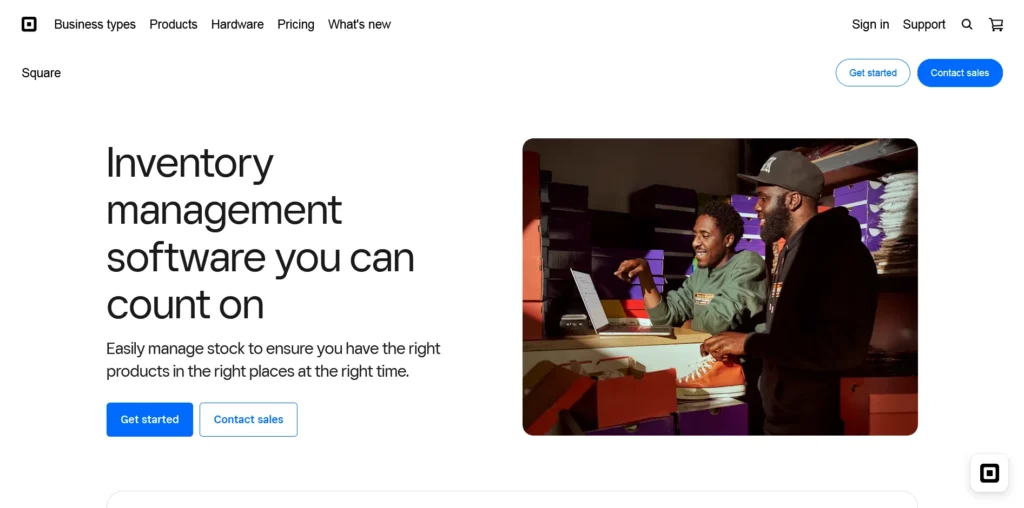
Square Inventory Management is a convenient fit if you already record sales through Square. It documents inventory tracking, history, low-stock alerts, and scheduled restocks, though access depends on product, plan, and market.
Basic item management is available with Square Free in the U.S., while some advanced retail inventory features require paid plans. A low-stock alert or scheduled restock is not AI demand forecasting.
Square’s newer AI layer is Managerbot, which entered open beta in the U.S. in late April 2026 for most non-franchise food and beverage, retail, and health and beauty sellers, at no additional cost.
Square says it tracks sales velocity against stock levels to flag potential shortages, and its help documentation says it can create a purchase order from an invoice, packing list, or order confirmation email and update inventory counts.
Square says every action requires the seller’s approval, and its help page advises sellers to validate Managerbot’s responses for accuracy.
Because it is a beta, check Square’s press announcement and Managerbot help article for current eligibility and supported workflows.
Best for: retailers, food businesses, and other operators already recording sales in Square.
Watch out for: country-specific pricing, payment-processing costs, beta eligibility, and the gap between basic inventory tools and paid retail features.
Simple Inventory Tools With AI Features
Newer tools focus on easy setup, reorder suggestions, and plain-English questions. They can be simpler than a larger platform, but they need more careful checking because features, pricing, integrations, and policies change quickly.
Before subscribing, ask for a clear answer to four questions:
- What data does the system use to make recommendations?
- Can I approve or edit a suggested reorder before anything is sent?
- What happens when the data is incomplete or inconsistent?
- Can I export my inventory and transaction history if I leave?
Worked Example: When Should You Reorder?
Imagine a small shop that sells about 5 units of a product each day. Its supplier usually takes 4 days to deliver. The owner wants a buffer of 8 units for unexpected demand or delays. A simple starting reorder point is:
(Average Daily Sales × Supplier Lead Time) + Safety Stock = Reorder PointIn this example: 5 units × 4 days + 8 units = 28 units.
Scenario:
- Average Sales: 5 units / day
- Supplier Lead Time: 4 days
- Safety Stock Buffer: 8 units (to cover unexpected delays)
Reorder Point (5 x 4) + 8 = 28 unitsThe owner should review a reorder when available stock approaches 28 units, rather than waiting until the shelf is nearly empty.
This is a practical starting formula, not a guarantee of future demand, and Zoho’s reorder-level documentation explains how historical average demand and safety stock can inform a threshold.
Use your own sales history and supplier lead times, and adjust for seasonality, minimum order quantities, expiry dates, and cash flow. If you track stock in several places, also subtract units already committed to customer orders.
A basic system that alerts you at a threshold is automation, not necessarily AI. An AI-enabled feature might use sales history or other signals to estimate demand or suggest a different reorder quantity.
Ask the vendor exactly which inputs its recommendation uses, and review the result before buying
Quick Checklist Before You Choose a Tool
- Stock accuracy: can you record deliveries, sales, returns, damaged items, and manual corrections?
- Product variations: can it distinguish sizes, colors, packs, and other variants without mixing their stock?
- Reorder rules: can you set or adjust thresholds for each item?
- Connections: does it sync with your actual sales channel and accounting workflow, or will you need duplicate data entry?
- Data export: can you export your product list and stock history if you switch tools?
- Total cost: check the subscription, required plan tier, integrations, payment fees where relevant, and any usage-based AI charges.
- Control and privacy: can a person review suggested orders, and do you understand how the vendor stores and uses your business data?
A Simple First-Week Setup
Start small. Choose a few products that sell regularly, are expensive to replace, or would cause real problems if they ran out. You do not need to automate every item at once.
- Day 1: Select the products. Prioritize reliable best-sellers and high-cost items. Keep unpredictable, seasonal, or short-shelf-life products under closer review.
- Day 2: Verify stock. Physically count the selected items and correct your records. Keep variants, SKUs, and units consistent.
- Day 3: Record the basics. Add recent sales, supplier lead times, minimum order quantities, and item costs where available.
- Day 4: Set conservative alerts. Start with demand during supplier lead time plus a reasonable buffer, and mark estimates clearly.
- Day 5: Review recommendations. Compare alerts and suggested reorders with actual stock, open orders, promotions, supplier updates, and available cash. Keep approval in human hands.
- End of week: Measure the baseline. Record stockouts, excess purchases, emergency orders, incorrect alerts, and time spent checking inventory. Keep tracking these so you can judge whether the system is helping.
Once the basics are reliable, consider more automation for stable, fast-moving products. Keep items with erratic demand or unusual supplier constraints under closer human review.
Measure outcomes, not just how quickly the software produces a recommendation.
What AI Cannot Fix
AI cannot compensate for unreliable inventory records or an inconsistent process. If the same product appears under different names, units are mixed up, sales are missing, or supplier delivery times are unknown, the system may produce misleading suggestions. Correcting those basics is often more valuable than buying a more advanced tool.
It also cannot know every business constraint. A recommendation may look reasonable but still be wrong because you are changing suppliers, discontinuing a product, preparing for a seasonal event, or protecting cash for another expense.
For a small business, keeping a person in the approval loop is sensible risk management, not a failure to automate.
You know about the supplier conversation, the upcoming promotion, or the cash-flow squeeze that may never appear in the data.
This cautious approach is consistent with the National Institute of Standards and Technology’s AI Risk Management Framework, which highlights reliability, transparency, accountability, and managing AI-related risks.
Bottom Line
AI inventory management for small business works best as a decision-support layer around accurate records.
Start with reliable stock data, simple alerts, and a review process. Add forecasting or plain-English reporting only after the basics are working.
You do not need to automate every purchase. You need a clearer view of what is selling, what is getting low, and what deserves your attention before it becomes an expensive problem.
Frequently Asked Questions (FAQs)
Is AI inventory management suitable for a very small business?
Yes. AI inventory management for small business can be useful even for a very small shop, provided the tool fits the current workflow and is easy to maintain. Better stock records and timely alerts may deliver more value than an advanced forecasting system.
Can AI place purchase orders automatically?
Some products may support automated workflows or draft purchase orders. However, you should confirm exactly what the automation does and whether a human approval step is available before enabling it.
Do I need a new system if I already use a spreadsheet?
Not necessarily. You can begin by cleaning the spreadsheet, defining reorder points, and testing a small inventory tool with CSV import and export. Move only when the current process is creating repeated errors or consuming too much time.
Editorial note: Inventory alerts and reorder rules are useful automation, but they are not automatically AI. Confirm each vendor’s current documentation before paying for a feature described as AI-powered. Product features, eligibility, and plan availability can change.

Michael L. has spent the last one year writing about AI for people who never planned to care about it. He tests tools, cuts through the hype, and explains what actually works for everyday life and small business. No tech background required.