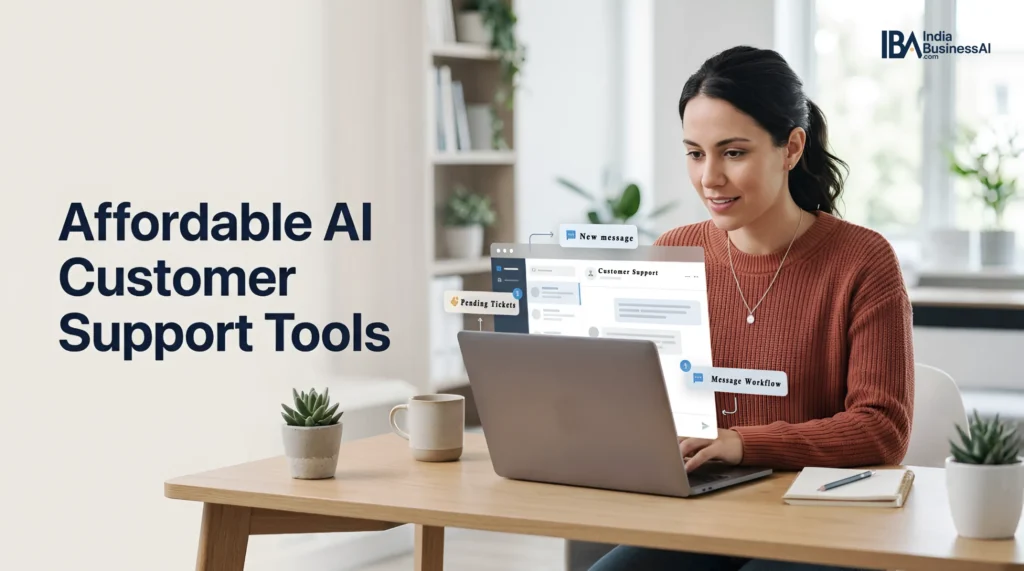
Small businesses do not need a giant help desk to answer common customer questions. If you are comparing AI customer support tools for small businesses, look for a reliable way to handle repeat requests.
The right tool should also keep replies consistent and make it clear when a conversation should move to a person.
That is where AI customer support tools can help. The useful ones do not try to replace your judgment. The best AI customer support tools keep routine answers consistent while leaving sensitive conversations to a person.
They answer routine questions from approved business information, draft replies, organize conversations, and hand off unclear or sensitive issues.
This guide compares five options that are relevant to solo operators and small teams in 2026. Pricing and limits can change, so treat the figures below as a starting point, and verify the live plan page before you subscribe.
What to Look for in AI Customer Support Tools for Small Business
Before comparing AI customer support tools for small business, define the support problem you are trying to solve. If you are still choosing software, see our guide to how to choose the right AI tools for your solo business.
- Channel: Do you need email, website chat, WhatsApp, or one shared inbox?
- Knowledge source: Can the tool answer from your website, help articles, or uploaded documents?
- Human handoff: Can you set rules for billing, refunds, complaints, or other sensitive issues?
- Usage model: Is the bill based on seats, conversations, AI responses, outcomes, or a mix?
- Control: Can you review answers, set a spending limit, and turn automation off quickly?
1. Chatisto: a Simple Shared Inbox for Small teams
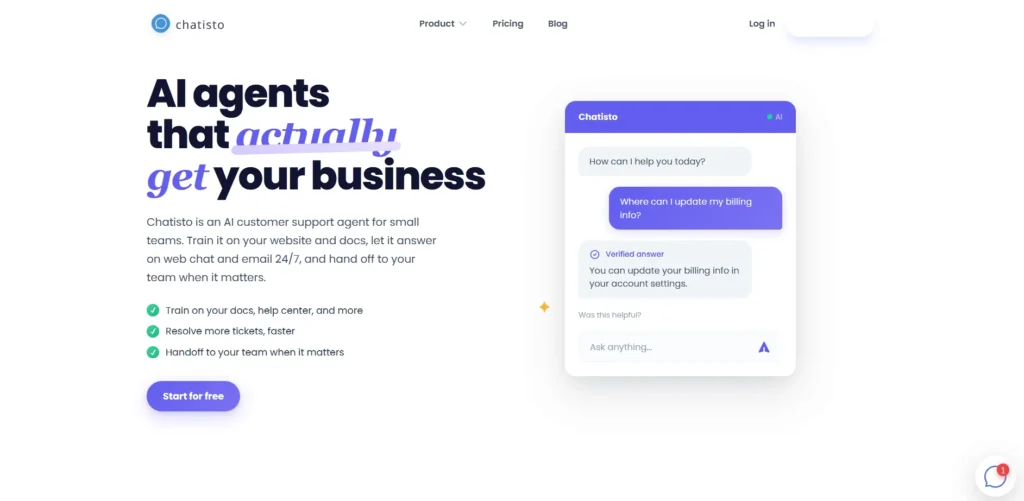
Chatisto is designed around a narrow, practical use case: an AI agent trained on your website and documents, with live chat and email in one inbox.
That can help keep the agent grounded in your own information instead of letting it answer from the open web.
It is a practical point to consider when comparing AI customer support tools for small businesses. This approach also fits naturally into AI workflow automation for small businesses.
Its public pricing page lists a free plan with 500 AI responses per month and a Starter plan at $29 per month with 3,000 responses and up to five teammates.
The same page says paid plans include a 14-day trial. Verify the current limits before buying because response-based pricing can get expensive as your support volume grows.
Best fit: a small service business or online business that wants a low-complexity support inbox.
Watch out for: response caps, what counts as a response, and whether you need an integration that is not listed on the public plan page.
2. Protodesk: Affordable Omnichannel Support
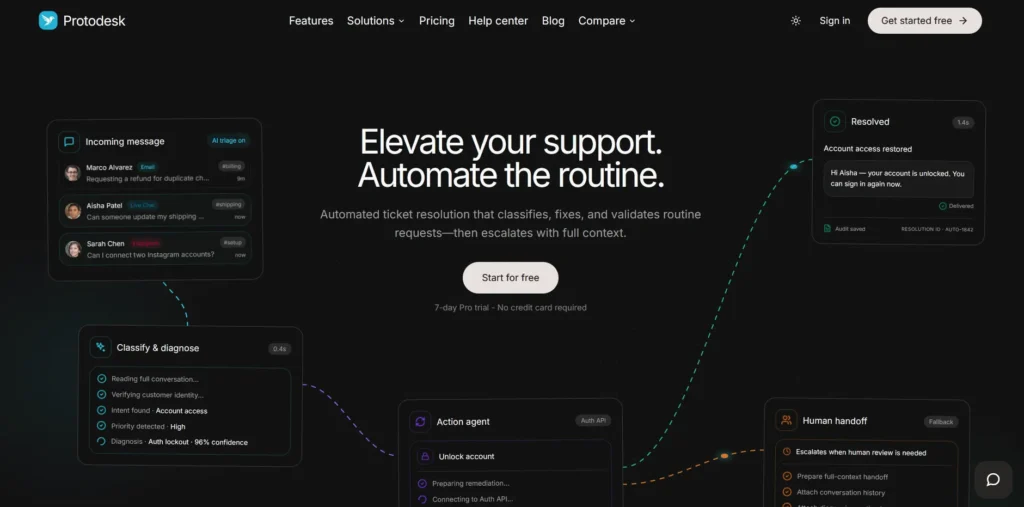
Protodesk combines email, WhatsApp, and live chat in one shared inbox. Its setup flow emphasizes importing a knowledge base, using AI for triage and reply drafts, and escalating tickets when confidence is low.
Protodesk’s pricing page currently displays annual-billing prices of $12.42 per month for Starter, $24.92 for Pro, and $49.92 for Businesses.
The same page’s FAQ lists regular monthly prices of $14.99, $29.99, and $59.99. It also lists different AI-credit, seat, and ticket limits by plan, so check the billing frequency before calculating your real cost.
Best fit: a small team that receives customer messages in more than one channel.
Watch out for: AI credit limits, WhatsApp setup requirements, and the difference between drafting a reply and sending one automatically.
3. Tidio: an AI Customer Support Tool for Chat-first Businesses
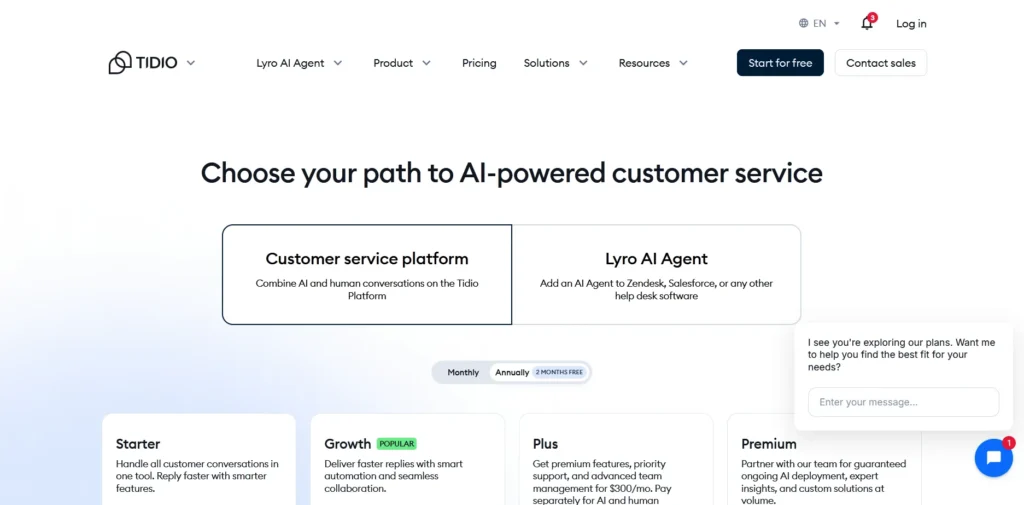
Tidio combines live chat, ticketing, automation, and its Lyro AI Agent. Its public pricing page lists a Starter plan at $24.17 per month and a Growth plan starting at $49.17 per month on annual billing.
It also shows a one-time free quota of 50 Lyro conversations, with larger AI conversation quotas available as paid usage.
Tidio can be attractive if most of your support starts on your website. It is less attractive if your real workflow is mostly email or WhatsApp and you need a single place to see the full customer history. That distinction matters when comparing AI customer support tools for small business by channel.
Best fit: a website-led business that wants chat, simple automation, and a gradual path into AI support.
Watch out for: the difference between billable conversations and Lyro AI conversations, plus the fact that the free Lyro quota is not a monthly reset.
4. Crisp: Shared Inbox Plus Usage-based AI Credits
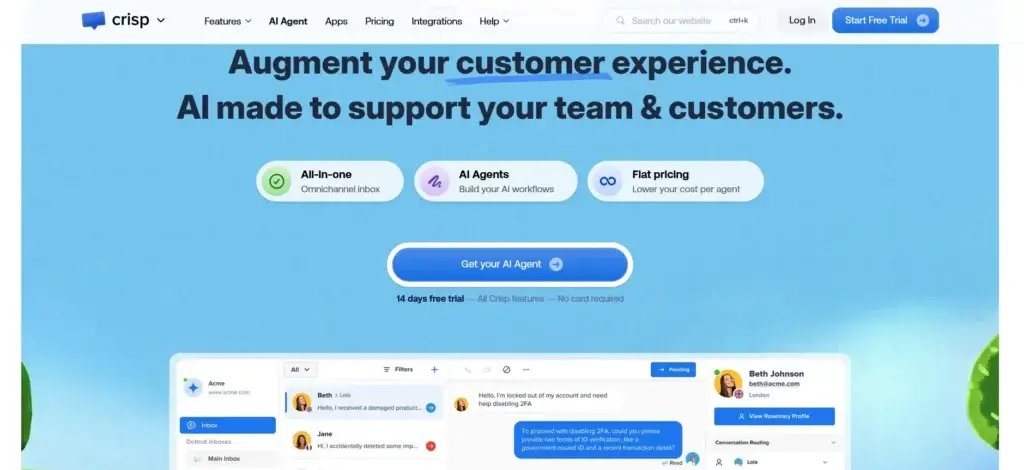
Crisp is a shared inbox and customer messaging platform with flat per-workspace pricing. Its current plans are Free at $0, Mini at $45/month, Essentials at $95/month, and Plus at $295/month.
The Free plan includes 2 seats but no AI credits. Paid plans include monthly Hugo AI credits: $5 on Mini, $25 on Essentials, and $75 on Plus, with Crisp estimating roughly 90, 450, and 1,350 automated conversations respectively.
That makes Crisp worth considering when your team values a shared inbox and collaboration features first, with AI used within a defined monthly credit allowance. Crisp says the core plans use flat workspace pricing rather than charging for each customer conversation, while additional Hugo AI usage can be enabled through pay-as-you-go billing.
It is another option to consider when comparing AI customer support tools for small businesses.
The predictable workspace price can make the core subscription easier to budget, but AI costs still depend on Hugo usage once the included monthly credits are used.
Best fit: a small team that wants human collaboration and AI assistance in the same inbox.
Watch out for: how quickly your support conversations consume Hugo AI credits, whether you need pay-as-you-go AI usage, and how your seat requirements change as your team expands.
5. Intercom Fin: Stronger Automation, Higher Complexity
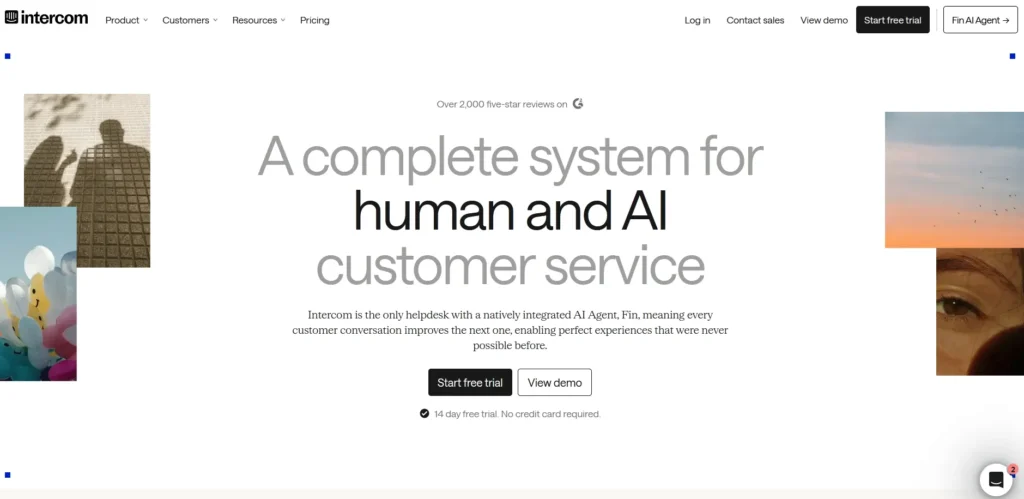
Intercom Fin is more powerful than the lightweight tools above, but it is also more complex and can cost more. Intercom’s current pricing page lists Essential at $29 per seat per month when billed annually, with Advanced at $85 and Expert at $132.
Fin is included on all plans, with usage starting at $0.99 per Fin outcome. Intercom says an outcome can include a resolution, a configured procedure handoff, a disqualification, or certain routing outcomes.
Fin can also work with an existing help desk, which is useful if you already have a support system and only want to add an AI layer. The trade-off is that you need to understand both the platform fee and the usage fee before you can estimate your monthly cost.
Best fit: a growing business with a repeatable support process, enough volume to justify deeper automation, and someone who can manage the setup.
Watch out for: seat charges, outcome definitions, minimum commitments, and the difference between support resolution and lead qualification pricing.
Pricing Comparison for AI Customer Support Tools for Small Business
Pricing is not directly comparable across these tools because they use different billing models. Some charge per team or workspace, while others combine subscription fees with AI usage. Use the figures below as a starting point, then check the provider’s official pricing page before subscribing.
| Tool | Starting point | How AI is charged | What to watch |
|---|---|---|---|
| Chatisto | Free; Starter $29/month | AI response limits | Response limits increase on paid plans |
| Protodesk | Starter $14.99/month or $12.42/month when billed annually | AI credits | Check the billing period and monthly AI credit allowance |
| Tidio | Customer Service Starter from $24.17/month when billed annually | Billable conversations and Lyro AI usage | Estimate support volume before choosing a plan |
| Crisp | Free; Mini $45/month per workspace | AI credits on paid plans | Free does not include AI credits |
| Intercom Fin | Essential $29/seat/month when billed annually | $0.99 per Fin outcome | Total cost depends on seats and AI usage |
Pricing note: Prices, included usage, and plan features can change. The figures above were checked against provider pricing pages in October 2026. Always confirm the current price and billing terms before purchasing.
Potential Limitations and Edge Cases
Why human oversight still matters: McKinsey’s research on generative AI in customer care notes that adoption has been uneven and that businesses need to rethink workflows rather than simply add AI to existing processes.
For a small businesses, that means using AI for repeatable questions while keeping clear rules for escalation, exceptions, and sensitive customer issues. McKinsey’s customer-care research provides useful context.
This is also consistent with recent Gartner research: 87% of surveyed customers said companies using generative AI for customer service should provide access to a human agent. Gartner’s 2026 survey reinforces why a good AI support setup should make human handoff easy rather than hide it.
Affordable does not always mean inexpensive at every support volume. Before choosing an AI customer support tool for small business, consider what happens when your conversations, teammates, or AI usage increase.
- Chatisto: The flat team pricing is simple, but AI response limits still matter as support volume grows.
- Protodesk: AI credits are part of the pricing model, so teams should understand what consumes credits before relying heavily on AI automation.
- Tidio: Costs can depend on billable conversations and Lyro AI usage, so businesses with higher support volume should estimate usage first.
- Crisp: The free plan has no AI credits, while paid plans include different AI credit allowances. Check the included usage before assuming the lower-cost plan will cover your needs.
- Intercom Fin: The total bill can combine seat charges with usage-based Fin outcomes and other usage-based channels. A low starting seat price does not represent the entire potential cost.
These limitations do not make a tool unsuitable. They simply show why your expected support volume and workflow matter as much as the advertised starting price.
How Difficult are These Tools to Set Up?
Setup requirements vary more than the product pages sometimes suggest. A small business should consider not only how quickly a tool can be connected, but also how much work is required to keep its answers accurate.
| Tool | Setup level | What you should prepare |
|---|---|---|
| Chatisto | Easy | Website content, FAQs, help documents, and support channels |
| Protodesk | Easy to moderate | Connected inboxes and a useful knowledge base |
| Tidio | Easy to moderate | Website chat, support content, automation rules, and Lyro configuration if used |
| Crisp | Moderate | Inbox, channels, knowledge base, and support workflows |
| Intercom Fin | Moderate to advanced | Help content, workflows, team permissions, and AI configuration |
Before turning on automatic replies, make sure your pricing information, policies, product details, and escalation rules are up to date. These checks are especially important when deploying AI customer support tools for small businesses. The AI is only as useful as the information and instructions behind it.
Which Tool May Fit Your Business?
There is no single winner because the right choice depends on your support channels and how much control you want.
- Choose Chatisto if you want the simplest small-team setup for website and email support.
- Choose Protodesk if you need one inbox for email, WhatsApp, and live chat.
- Choose Tidio if your website chat is the center of your customer support.
- Choose Crisp if collaboration and a shared inbox matter more than full automation.
- Choose Intercom Fin if you are ready for a more capable system and can manage usage-based billing.
How to Test AI Customer Support Tools before Paying
- Export or write down your 20 most common customer questions.
- Give the tool only the business information it is allowed to use.
- Test pricing, refunds, delivery problems, complaints, and unclear questions. For complaint-heavy support, our guide on using ChatGPT to reply to angry customer emails provides another practical example.
- Check whether the tool shows its source, confidence, or reason for escalation.
- Set a monthly spending limit if the provider supports one.
- Review every automated answer during the first two weeks.
Bottom Line
AI customer support is most useful when it removes repetitive work without hiding the hard cases. For many small businesses, the best first step is not full automation. It is a shared inbox, grounded answers from your own content, and clear rules for when a human must take over.
Start with one channel and one narrow use case. Then measure whether the AI customer support tools you test actually reduce repetitive work without creating more corrections.
Measure unanswered questions, incorrect replies, escalations, and monthly cost. If the tool saves time without creating new customer problems, expand from there.
Frequently Asked Questions
Will an AI support tool replace a human?
It should not replace human judgment for refunds, disputes, sensitive account issues, or unusual requests. The safer setup is automation for routine questions with clear human handoff rules.
What is the cheapest way to start?
Use a free plan or trial, but test the limits carefully. A low monthly price can become expensive if the product charges per response, conversation, outcome, or AI credit.
Should I automate email first?
Email is often a good starting point because you can review drafts before sending them. Automatic sending should come later, after you have tested the tool against real customer questions.

Michael L. has spent the last one year writing about AI for people who never planned to care about it. He tests tools, cuts through the hype, and explains what actually works for everyday life and small business. No tech background required.